
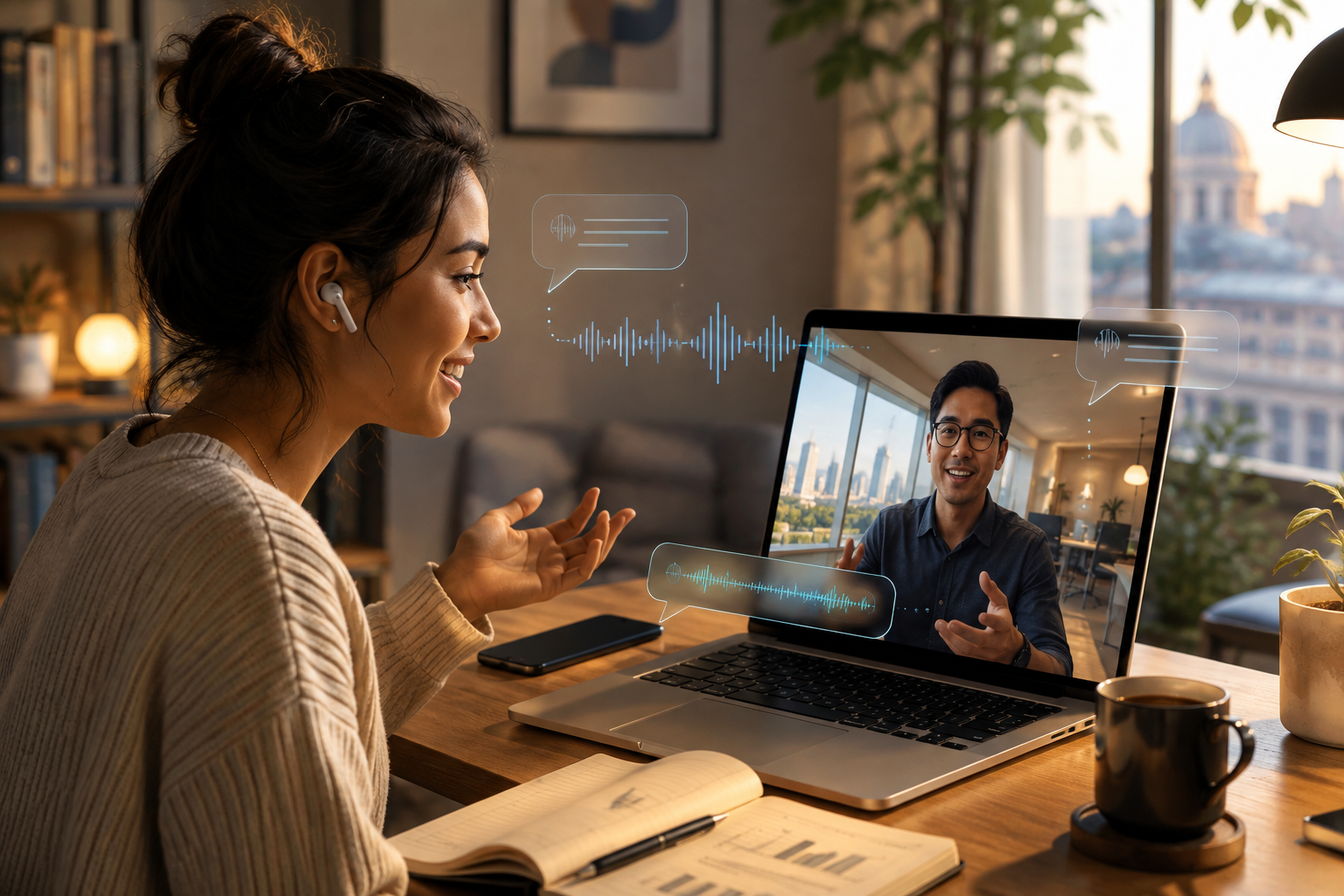
Video calls make it easy to work, study, and stay connected across borders, but language differences can make even a friendly conversation feel slow. People may pause too often, speak in unnatural fragments, or interrupt the flow to type words into a translation app.
A more natural cross-language call does not require perfect fluency. It requires clear audio, suitable translation support, patient speaking habits, and a shared understanding of how the conversation will work.
Prepare Before the Call
A few minutes of preparation can prevent repeated explanations later. Confirm which languages will be used and whether one language will serve as the main language for shared decisions. For work calls, send the agenda, participant names, product terms, and important documents in advance.
Test the microphone, headphones, camera, internet connection, and translation tool. Close unnecessary applications, silence notifications, and choose a quiet room.
Protect the Audio Quality
Translation quality depends on the original audio. A tool cannot interpret words it cannot hear clearly. Built-in laptop microphones may capture keyboard sounds, echo, or voices from other people nearby.
Use a headset or external microphone when possible, and mute when you are not speaking. A stable connection also matters because broken audio can change the meaning of a sentence.
Speak Clearly Without Sounding Robotic
Speaking very slowly can feel unnatural, while speaking too quickly can overwhelm both listeners and translation systems. Use a normal but controlled pace.
Keep each sentence focused on one idea and pause briefly after a complete thought. Avoid long explanations filled with idioms, slang, jokes, or regional expressions that may not translate well.
Instead of saying, “Let us circle back once everyone is on the same page,” say, “Let us discuss this again after everyone reviews the document.” Direct language improves accuracy without making the conversation formal or stiff.
Match the Translation Tool to the Call
The best tool depends on whether participants need translated audio, live subtitles, or a separate screen for checking written information.
The iFLYTEK AI Translation Earbuds work with the Bavvo app for real-time translation during ordinary calls, social app calls, and online meetings such as Zoom and Google Meet. The app can display translated subtitles in a floating window, helping users follow the conversation without repeatedly changing screens. The official page states that online translation covers 60 languages and multiple accents.
A handheld device may be more useful when participants also need to check written notes, screenshots, or documents. The iFLYTEK Smart Translator provides a dedicated screen and supports voice and photo translation, so it can assist with both spoken and visual information before, during, or after a call.
Translation technology should support the discussion rather than replace confirmation. Names, dates, prices, model numbers, and technical terms should still be shown in writing.
Use Visual Context
Video offers clues that audio alone cannot provide. Facial expressions, gestures, shared screens, and written examples can help participants understand the speaker’s intention.
Keep the camera at eye level and make sure your face is visible. Avoid speaking while looking away from the microphone. During business calls, place important figures, deadlines, and decisions on a shared screen or in the chat.
Visual confirmation is especially useful for words that sound similar. Instead of repeating a model number several times, type it. When discussing schedules, include the date and time zone in writing.
Leave Time for Translation and Response
Silence does not always mean confusion or disagreement. The other person may be listening to translated audio, reading subtitles, or preparing a response in a second language.
Do not fill every pause. Wait until the translation finishes before asking another question. In group calls, the host should invite one person at a time to speak and prevent overlapping conversations.
Confirm Important Details
Natural conversation matters, but accuracy is essential when the call includes decisions, money, schedules, or responsibilities. Before changing topics, summarize the key point and ask the other participant to confirm it.
For example: “We agreed that the revised file will be sent by Friday at 3 p.m. London time. Is that correct?”
This works better than asking, “Do you understand?” because it checks the actual information. After a business call, send a short written summary with decisions, action items, owners, and deadlines.
Know the Limits of Automated Translation
Real-time translation can reduce language barriers, but no automated system understands every accent, technical term, or cultural reference perfectly. Accuracy may decrease when speakers interrupt one another, use specialized vocabulary, or join from noisy environments.
For legal agreements, medical decisions, safety instructions, or other high-risk discussions, use a qualified interpreter or professional translator. Automated tools may help participants follow the conversation, but important information still needs expert review and written confirmation.
Keep the Conversation Human
Begin with a friendly greeting, introduce participants clearly, and allow a little social conversation before complex topics.
Do not correct every grammar mistake. Focus on meaning and respond to the person rather than the translation interface. Nodding, maintaining eye contact, and confirming what you heard can make the conversation feel more comfortable.
Conclusion
Cross-language video calls become more natural when participants prepare their tools, protect audio quality, speak clearly, use visual context, and leave enough time for translation and response.
The goal is not to remove every pause. It is to reduce unnecessary interruptions while keeping important information accurate. With suitable technology and considerate communication habits, multilingual calls can feel less like a technical process and more like a genuine conversation.
 John
John